


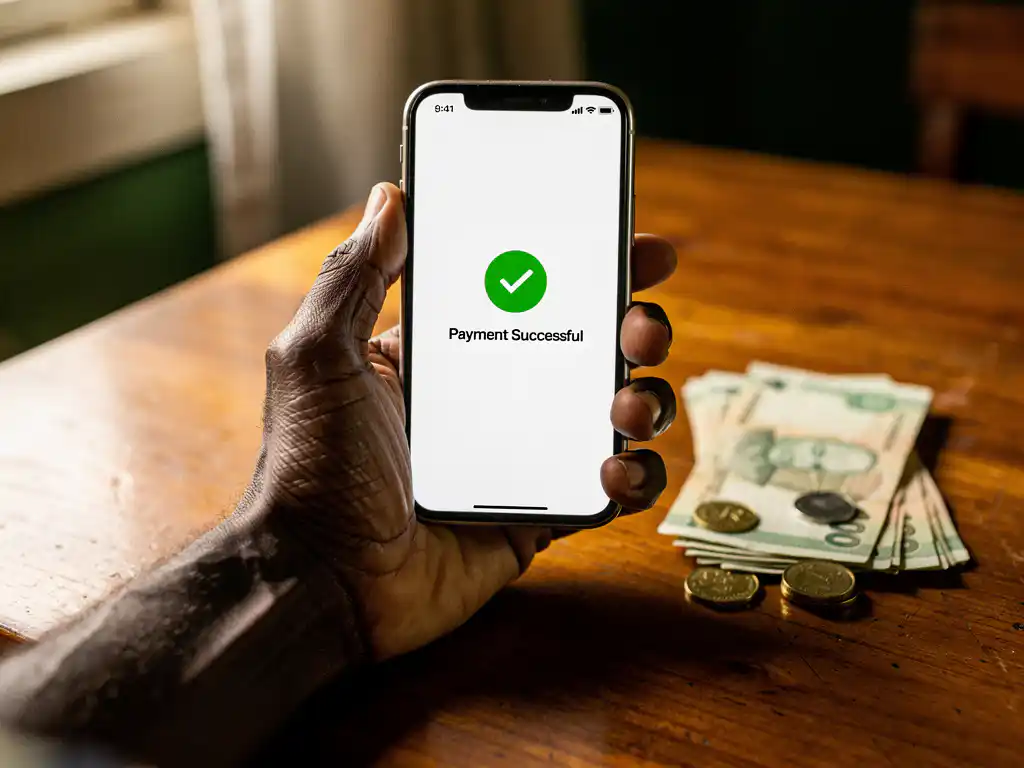
To send money from mobile money to Ghana Pay, open your mobile money app, select the transfer or send money option, choose Ghana Pay or inter-wallet transfer as your destination, enter the recipient’s Ghana Pay account number, confirm the amount, and approve the transaction. The process typically completes within minutes, making it one of the fastest ways to move funds digitally in Ghana.
Ghana Pay is Ghana’s national instant payment system, and most major mobile money wallets in Ghana are connected to it, meaning transfers between platforms are increasingly seamless. Whether you are sending from abroad or moving funds locally, understanding how the system works helps you avoid delays and unnecessary fees.
Below, we answer the most common questions people have about sending money to Ghana Pay from a mobile money wallet.
What mobile money services are compatible with Ghana Pay?
Ghana Pay is compatible with all three major mobile money providers in Ghana: MTN Mobile Money (MoMo), Vodafone Cash, and AirtelTigo Money. Because Ghana Pay operates as an interoperable payment infrastructure, users on any of these networks can send and receive funds across platforms without needing to be on the same provider.
This interoperability is managed through the Ghana Interbank Payment and Settlement Systems (GhIPSS), which underpins the Ghana Pay ecosystem. In practice, this means a sender on MTN MoMo can transfer directly to a recipient who uses Vodafone Cash, and the transaction routes through Ghana Pay automatically.
Beyond the three main mobile money networks, Ghana Pay also connects to bank accounts and other licensed payment service providers in Ghana. So if your recipient has a Ghana Pay-linked bank account rather than a mobile wallet, the transfer can still go through using the same process.
How does a mobile money to Ghana Pay transfer actually work?
A mobile money to Ghana Pay transfer works by routing your payment through GhIPSS’s interoperable payment rails, which sit between mobile money platforms and allow them to communicate with each other in real time. When you initiate a transfer, your mobile money provider sends a payment instruction to Ghana Pay, which then credits the recipient’s linked account or wallet.
Here is how the process unfolds step by step:
- Open your mobile money app and navigate to the transfer or payments section.
- Select Send Money or Transfer to Another Wallet/Bank.
- Choose Ghana Pay or the recipient’s network as the destination type.
- Enter the recipient’s Ghana Pay account number or mobile wallet number.
- Type in the amount you want to send.
- Review the transaction summary, including any applicable fees.
- Confirm and authorise the payment using your PIN or biometric verification.
- Both you and the recipient will receive a confirmation message once the transfer is processed.
Most transfers settle within seconds to a few minutes. If there is a delay, it is usually due to network congestion or a temporary issue on the receiving platform rather than a problem with Ghana Pay itself.
What are the fees and limits for sending to Ghana Pay?
Fees and transaction limits for sending to Ghana Pay vary depending on your mobile money provider and the amount being transferred. Each network sets its own fee schedule, but charges are generally calculated as a small percentage of the transaction value, often capped at a maximum amount per transfer.
Some general patterns to be aware of:
- MTN MoMo: Charges a tiered fee based on the transfer amount, with lower percentages for larger transactions.
- Vodafone Cash: Applies a similar percentage-based fee structure, with promotional periods occasionally offering reduced or waived fees.
- AirtelTigo Money: Uses comparable tiered pricing, and fees may differ slightly for cross-network versus same-network transfers.
Daily and monthly transaction limits also apply. These limits are set by both GhIPSS and your individual mobile money provider, and they can differ based on your account verification level. A fully verified account typically has higher limits than an unverified or basic-tier account. Always check your provider’s current fee schedule before sending, as rates can be updated throughout the year.
If you are sending money to Ghana from Europe, exchange rates and international transfer fees will also apply before the funds even reach the Ghana Pay system. Using a service with transparent, per-second or per-unit pricing, and no hidden connection charges, makes it significantly easier to understand exactly what your recipient will receive.
Why is my mobile money transfer to Ghana Pay failing?
A mobile money transfer to Ghana Pay can fail for several reasons, including incorrect recipient details, insufficient wallet balance, exceeding your daily transaction limit, or a temporary technical issue on either your provider’s platform or the Ghana Pay network itself.
The most common causes and what to do about them:
- Wrong account number: Double-check the Ghana Pay account number or mobile number you entered. A single digit error will cause the transfer to fail or, in some cases, credit the wrong person.
- Insufficient funds: Make sure your wallet balance covers both the transfer amount and the applicable fee.
- Transaction limit reached: If you have already hit your daily or monthly cap, you will need to wait until the limit resets or contact your provider to request a limit increase.
- Unverified account: Some providers restrict inter-network or Ghana Pay transfers to fully verified accounts. Completing your KYC (Know Your Customer) verification usually resolves this.
- Network downtime: Occasionally, scheduled maintenance or unexpected outages affect the Ghana Pay rails. Waiting a short time and retrying is usually enough.
- Recipient account issues: The recipient’s wallet may be inactive, suspended, or have reached its own receiving limit.
If the transfer fails and the money is deducted from your wallet, your provider is required to reverse the transaction. Contact their customer support with your transaction reference number to follow up.
What details do you need to send money to Ghana Pay?
To send money to Ghana Pay, you need the recipient’s Ghana Pay account number or their registered mobile money number, the amount you want to send, and your own mobile money PIN to authorise the transaction. In most cases, no additional information is required for a standard transfer.
More specifically, gather the following before you initiate the transfer:
- Recipient’s account number: This is either their Ghana Pay-assigned account number or the mobile number linked to their wallet.
- Recipient’s network: Knowing whether they are on MTN, Vodafone, or AirtelTigo helps you select the correct transfer route in your app.
- Transfer amount: Confirm the exact amount in Ghanaian cedis (GHS) you want the recipient to receive, accounting for any fees that may be deducted.
- Your authorisation PIN: You will need your mobile money PIN or biometric authentication to approve the payment.
For larger or business-related transfers, some providers may ask for a transfer reference or purpose, but for everyday personal transfers, this is rarely required. Always verify the recipient’s details with them directly before sending, especially when transferring a significant amount.
How FroggyTalk helps you send money to Ghana
Sending money to Ghana should feel simple, not stressful. We built FroggyTalk around one core belief: you deserve to feel heard, seen, and noticed, especially when you are managing life across borders.
Our International Money Transfer Service is designed specifically for African diaspora communities in Europe who need a reliable, affordable way to support family and friends back home. Here is what makes us different:
- Transparent pricing: No hidden fees, no surprise connection charges. You see exactly what your recipient receives before you confirm the transfer.
- Multilingual support: Everything in the app can be used in your local language, including Hausa, Amharic, Arabic, Tigrinya, French, and more, so you never have to navigate a confusing interface in a language that is not yours.
- All in one place: Manage your calls, bill payments, and money transfers from a single trusted platform built for your community.
- Culturally sensitive service: We are not a generic fintech. We understand the specific needs of communities sending money to Ghana, Nigeria, Ethiopia, Eritrea, Sudan, Niger, and beyond.
Whether you are sending money to Ghana for the first time or looking for a more reliable alternative to your current provider, we are here to make it easier. Get in touch with us and let us help you find the best way to send money home.
Frequently Asked Questions
Can I send money to Ghana Pay from outside Ghana, such as from Europe?
Yes, you can send money to Ghana Pay from abroad, but the process involves an additional step: using an international money transfer service (such as FroggyTalk) to first convert and route your funds into the Ghana Pay ecosystem. Once the transfer reaches Ghana, it is credited to the recipient’s linked mobile money wallet or bank account just like a local transfer. Be sure to factor in both the international transfer fee and the prevailing exchange rate, as these will affect how much your recipient ultimately receives in Ghanaian cedis.
How long does a mobile money to Ghana Pay transfer take to arrive?
Most mobile money to Ghana Pay transfers settle within seconds to a few minutes under normal conditions, thanks to GhIPSS’s real-time payment infrastructure. However, delays can occasionally occur during periods of high network traffic, scheduled platform maintenance, or if the recipient’s wallet requires manual review. If your transfer has not arrived within 30 minutes, check your transaction status in the app and contact your provider’s customer support with your transaction reference number.
What happens if I send money to the wrong Ghana Pay account number?
If you enter an incorrect account number and the transfer goes through, the funds may be credited to the wrong recipient, and recovering them can be difficult. Your first step should be to immediately contact your mobile money provider’s customer support with your transaction reference number and explain the error. Providers can sometimes initiate a recall request, but success depends on whether the unintended recipient has already withdrawn the funds. This is why it is critical to always verify the recipient’s account number directly with them before confirming any transfer.
Do I need a Ghana Pay account myself to send money to a Ghana Pay recipient?
No, you do not need your own Ghana Pay account to send money to a Ghana Pay recipient. If you are sending from a mobile money wallet in Ghana (MTN MoMo, Vodafone Cash, or AirtelTigo Money), your provider’s app handles the routing through Ghana Pay automatically on your behalf. If you are sending from abroad, you simply need to use a compatible international transfer service and provide the recipient’s Ghana Pay-linked number or account details.
How can I increase my transaction limit for Ghana Pay transfers?
Transaction limits on Ghana Pay transfers are tied to your account verification level with your mobile money provider. To increase your limit, complete your full KYC (Know Your Customer) verification by submitting a valid government-issued ID (such as a Ghana Card, passport, or voter’s ID) through your provider’s app or at a registered agent location. Once your account is fully verified, your daily and monthly transfer caps are typically raised significantly. You can also contact your provider’s customer support directly to request a temporary or permanent limit increase for specific high-value transfers.
Is it safe to send money through Ghana Pay, and how is my transaction protected?
Yes, Ghana Pay is a regulated, government-backed payment system overseen by the Bank of Ghana and operated through GhIPSS, making it one of the most secure digital payment channels available in the country. Every transaction is encrypted and requires PIN or biometric authorisation before it is processed. Additionally, if a transfer fails after funds have been deducted from your wallet, your provider is legally obligated to reverse the transaction. For extra security, never share your mobile money PIN with anyone and always initiate transfers through your official provider app rather than third-party platforms.
Can a Ghana Pay transfer be used for business payments, or is it only for personal transfers?
Ghana Pay supports both personal and business payments. Businesses with registered merchant accounts or licensed payment service provider accounts can receive funds through the Ghana Pay infrastructure, making it suitable for paying vendors, suppliers, or service providers. For business transfers, some providers may require you to include a payment reference or purpose description, and higher-value business transactions may be subject to additional verification steps. If you regularly make business payments, speak with your mobile money provider about upgrading to a business or merchant account for higher limits and better transaction tracking.