


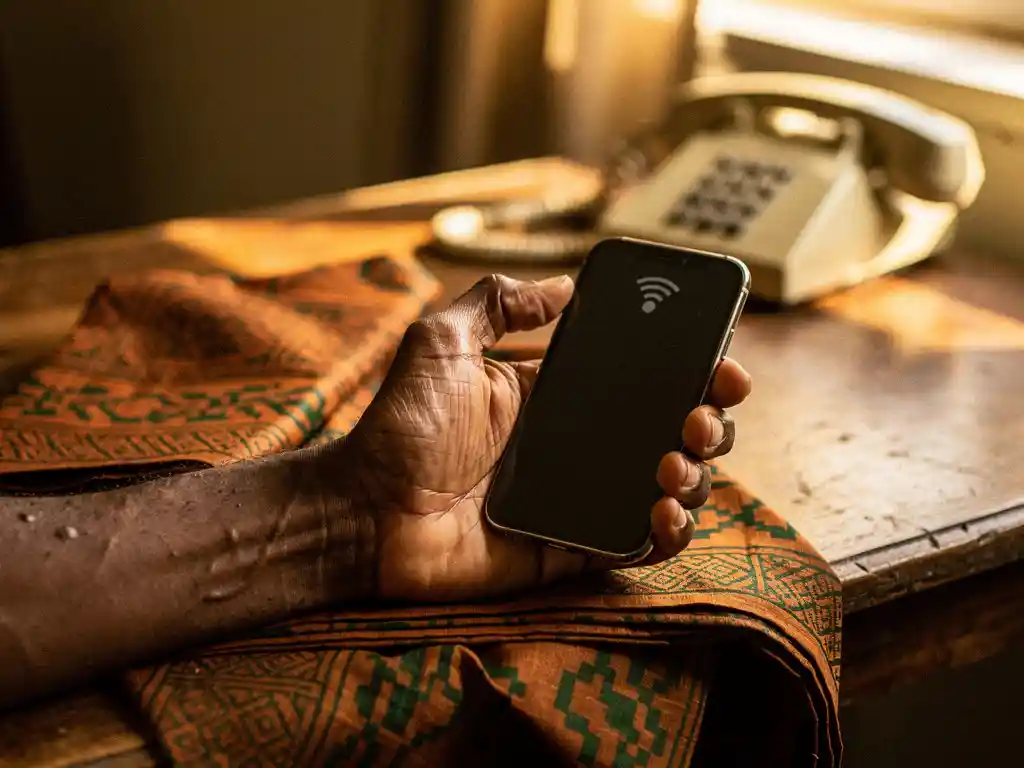
Yes, you can make a call to Nigeria using a mobile app without a traditional phone plan or SIM-based minutes. These apps route your call through the internet, meaning you need a data or Wi-Fi connection, but the person you’re calling in Nigeria picks up on their regular mobile or landline phone. Below, we answer the most common questions people have before making their first app-based call to Nigeria.
Does the person you’re calling in Nigeria need internet too?
No, the person receiving your call to Nigeria does not need internet, a smartphone, or any app installed. Calling apps convert your voice into internet data on your end, then deliver it as a standard phone call to any Nigerian mobile or landline number. The recipient simply picks up like any other incoming call.
This is one of the biggest advantages of using a calling app over messaging platforms like WhatsApp or Telegram, where both parties need an active internet connection and the same app. With an internet-based calling service, you handle all the technical requirements on your side. Your family member in Lagos, Abuja, or a rural area only needs a working phone signal.
What happens if your internet drops mid-call to Nigeria?
If your internet connection drops during a call to Nigeria, the call will disconnect. Unlike a traditional phone line, internet-based calls depend entirely on a stable data stream. A brief interruption of a few seconds may cause choppy audio or a short pause, while a longer outage will end the call completely.
To reduce the risk of dropped calls, keep these points in mind:
- Use Wi-Fi whenever possible, as it tends to be more stable than mobile data
- Avoid areas with weak signal coverage for important calls
- Close background apps that consume bandwidth during your call
- If a call drops, simply redial through the app within seconds
Most calling apps will reconnect quickly, and because good services charge per second rather than per minute, a dropped and redialed call does not mean you lose a full minute of credit.
Can you call Nigeria using mobile data instead of Wi-Fi?
Yes, you can absolutely make a call to Nigeria using mobile data. As long as you have a 3G, 4G, or 5G connection, a calling app will work without Wi-Fi. The quality of your call will depend on your signal strength and the speed of your mobile data plan at that moment.
In practice, 4G and 5G connections deliver call quality that is indistinguishable from Wi-Fi for most users. A 3G connection can still carry a voice call, though you may notice slightly more delay or occasional audio breaks if the signal fluctuates. If you are in a location with a strong 4G signal and no Wi-Fi available, mobile data is a perfectly reliable option for reaching Nigerian phone numbers.
How much does it cost to call Nigeria with a calling app?
The cost of a call to Nigeria through a calling app varies by provider, but most services charge by the minute or by the second. Per-second billing is the more transparent option because you only pay for the exact duration of your call, with no rounding up to the nearest minute.
To understand the real value of any plan, focus on how many minutes your money buys rather than just the headline rate. For example, a plan that gives you 60 minutes of calling to Nigerian numbers for a set price is far easier to evaluate than a per-minute rate buried in small print. Watch out for:
- Connection fees charged at the start of every call
- Hidden service fees added at checkout
- Per-minute rounding that inflates your actual usage
- Expiry dates on credit that reduce its real value
A transparent provider will show you exactly how many minutes you get for your money before you top up, with no surprises on your balance afterward. Our international calling guide breaks down what to look for when comparing rates.
Which calling apps work for reaching Nigerian phone numbers?
Several calling apps allow you to dial Nigerian phone numbers directly, including Rebtel, Viber Out, and Google Voice in select regions. These apps work by routing your call over the internet and connecting it to the Nigerian phone network. The key difference between them lies in call quality, pricing transparency, and whether they serve diaspora communities specifically.
General-purpose apps are built for broad audiences and may not account for the specific needs of African diaspora users, such as multilingual support, culturally relevant features, or reliable connections to networks across Nigeria, Eritrea, Sudan, and other African countries. If you regularly make international calls to Africa, an app built with that focus in mind will typically serve you better than a generic solution.
How FroggyTalk helps you stay connected to Nigeria
We built FroggyTalk specifically for diaspora communities who need reliable, affordable connections to family and friends across Africa. Whether you are making a call to Nigeria, a call to Sudan, or a call to Eritrea, we want you to feel heard, seen, and noticed, not like just another user on a generic platform.
Here is what makes calling with FroggyTalk different:
- Per-second billing with no hidden fees, so you know exactly how many minutes your credit covers before you dial
- No app required on the recipient’s end, your contact in Nigeria picks up on their regular phone
- Works on Wi-Fi and mobile data, so you can call from anywhere with a signal
- Full in-app translation into your local language, including Hausa, Yoruba, Igbo, Arabic, Tigrinya, Amharic, and more, so everything is accessible in the language you are most comfortable with
- Dedicated support for African diaspora communities across Europe, with coverage extending to Nigeria, Eritrea, Sudan, Ethiopia, Uganda, Tanzania, Egypt, and beyond
If you have questions about getting started or want to know more about our rates, reach out to our team and we will help you find the right plan for your calling needs.
Frequently Asked Questions
How do I get started with FroggyTalk if I've never used a calling app before?
Getting started is straightforward: download the FroggyTalk app, create an account, and add credit to your balance before your first call. Once your credit is loaded, you simply enter the Nigerian phone number you want to reach — including the country code (+234) — and dial. No technical setup is required on your end, and the person you’re calling in Nigeria doesn’t need to do anything differently to receive your call.
What is the correct way to dial a Nigerian number from a calling app?
To call a Nigerian number through a calling app, you need to include Nigeria’s country code, which is +234, followed by the local number without its leading zero. For example, if the Nigerian number is 0801 234 5678, you would dial +234 801 234 5678. Most calling apps accept this format directly in their dial pad, and some will even format the number automatically once you select Nigeria as the destination country.
Can I use a calling app to reach Nigerian numbers while I'm traveling abroad?
Yes, calling apps like FroggyTalk work from virtually any country as long as you have a Wi-Fi or mobile data connection. This makes them especially useful when you’re traveling, since you avoid international roaming charges entirely. Your credit and account settings travel with you inside the app, so there’s no need to purchase a local SIM or change any settings when you cross borders.
What should I do if the call quality to Nigeria is poor or the audio keeps cutting out?
Poor call quality is almost always linked to an unstable internet connection on your end. Start by switching from mobile data to Wi-Fi, or move to an area with a stronger signal. If the issue persists, close any background apps consuming bandwidth, restart the calling app, and try redialing. In rare cases where quality remains consistently poor, contacting the app’s support team can help identify whether the issue is network-side or account-related.
Is it safe to top up credit inside a calling app, and how do I know my payment details are protected?
Reputable calling apps process payments through encrypted, industry-standard payment gateways — the same technology used by banks and major e-commerce platforms. Look for HTTPS in the app’s payment flow and check whether the provider uses recognized payment processors. With FroggyTalk, you can review exactly how much credit you’re purchasing and what it covers before confirming any transaction, so there are no unexpected charges after the fact.
Does my calling credit expire, and what happens to unused minutes?
Many calling apps attach expiry dates to purchased credit, meaning unused minutes are lost if you don’t make calls within a set window. This is one of the hidden costs worth checking before you top up. Always review the provider’s credit expiry policy upfront — a transparent service will display this clearly before purchase rather than burying it in the terms and conditions.
Can I use a calling app to reach both mobile and landline numbers in Nigeria?
Yes, most internet-based calling apps, including FroggyTalk, support calls to both Nigerian mobile numbers and landline numbers. The dialing process is the same for both — enter the full number with the +234 country code and dial. Keep in mind that rates for landlines and mobile numbers may differ slightly depending on your provider, so it’s worth checking the rate breakdown for each number type before you call.